 Cocoatech
From Mac Enthusiast to Independent Developer
Michael Tsai had been part of the Mac community long before he founded C-Command Software in January 2002. His involvement began remarkably early: in 1992, at the age of thirteen, he co-founded a small print magazine called MacJournal, which circulated in his hometown. By 1996, at just sixteen years old, he had become the reviews editor of the online Mac magazine About This Particular Macintosh, later taking on its editorial leadership.
He had also been learning to program the Mac for years. When Mac OS X arrived, with its new Cocoa development tools and Unix-based architecture, he saw opportunities to build applications that solved some of the frustrations he encountered himself.
DropDMG
His first commercial application, DropDMG, appeared on January 21, 2002. In the early days of Mac OS X, creating .dmg disk image files wasn't particularly convenient. Developers distributing their applications often had to enter a series of commands in Terminal to produce the files their customers would download. Michael wanted an easier way.
He had used ShrinkWrap, a popular disk-image utility from the classic Mac OS era, and missed having something equally straightforward for the new Mac OS X operating system.
His idea was simple: take a folder, drag and drop it onto an application, and let the computer create the disk image. That application became DropDMG.
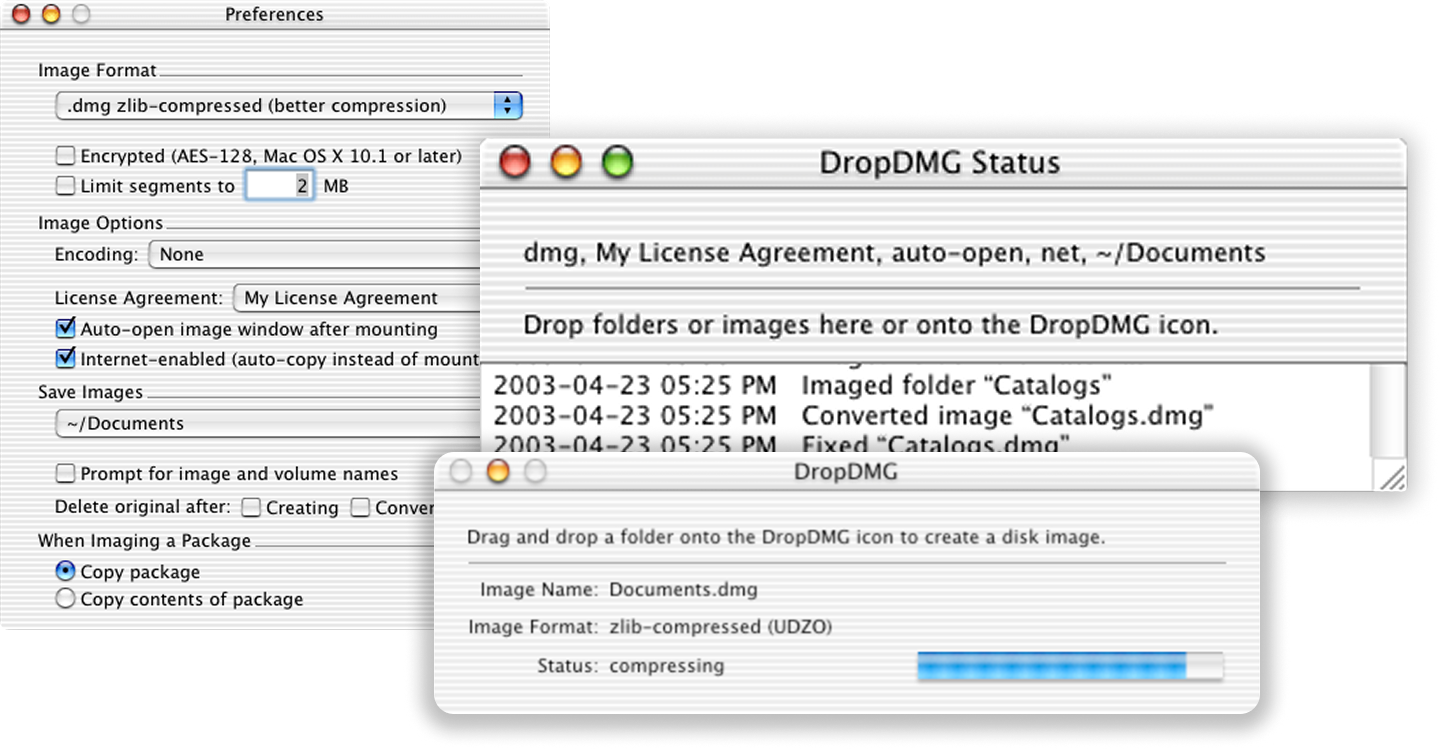
The idea quickly grew beyond simply making installation files. DropDMG added compression to reduce file sizes, encryption to protect sensitive information, and support for different disk-image formats. Some of those formats were important for compatibility with both classic Mac OS and the newer Mac OS X. It also gained ways to customize what people see when they open a disk image, including background pictures, icon arrangements, and license agreements.
These features made it useful not only for developers distributing software, but also for people wanting to archive, protect, or share collections of files.
Imagine you have a folder containing financial documents you want to keep together and protect with a password. DropDMG can turn that folder into an encrypted disk image, which you can store or share as a single file.
The way people used disk images changed considerably over the years. In the early days, CDs and DVDs were an ordinary part of computer life: software, photos, backups, and collections of files were frequently burned onto discs, whether to archive them or pass them along to someone else. Disk images were useful for preparing those discs, so in 2005, DropDMG gained the ability to burn files, folders, and disk images directly to CDs and DVDs. The feature is still there today, although most of us haven't needed to burn a disc in years.
As software distribution moved increasingly online, Apple was also beginning to leave physical media behind. Starting with the original MacBook Air in 2008, optical drives gradually disappeared from the rest of the Mac lineup over the following years. Abandoning physical discs didn't mean abandoning disk images. Apple introduced Gatekeeper in 2012 and gradually strengthened its security requirements for downloaded software. In 2016, DropDMG added support for digitally signed disk images, helping developers distribute their applications in a way that worked with these protections.
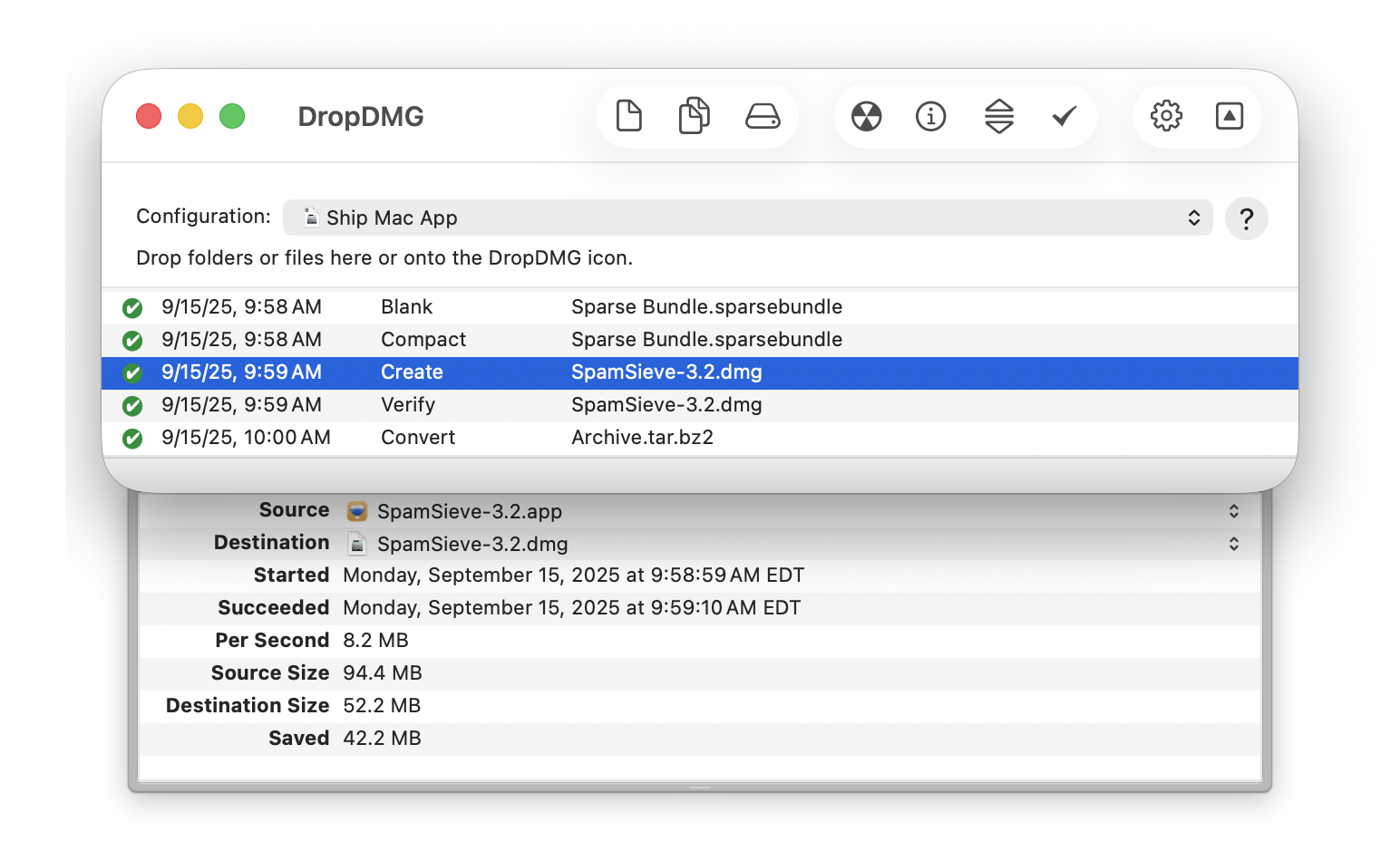
Today, 25 years later, DropDMG still makes creating and managing disk images considerably easier. It can create, convert, compress, encrypt, and verify images, with options for both straightforward everyday tasks and more specialized workflows.
EagleFiler: A Place for Everything You Want to Keep
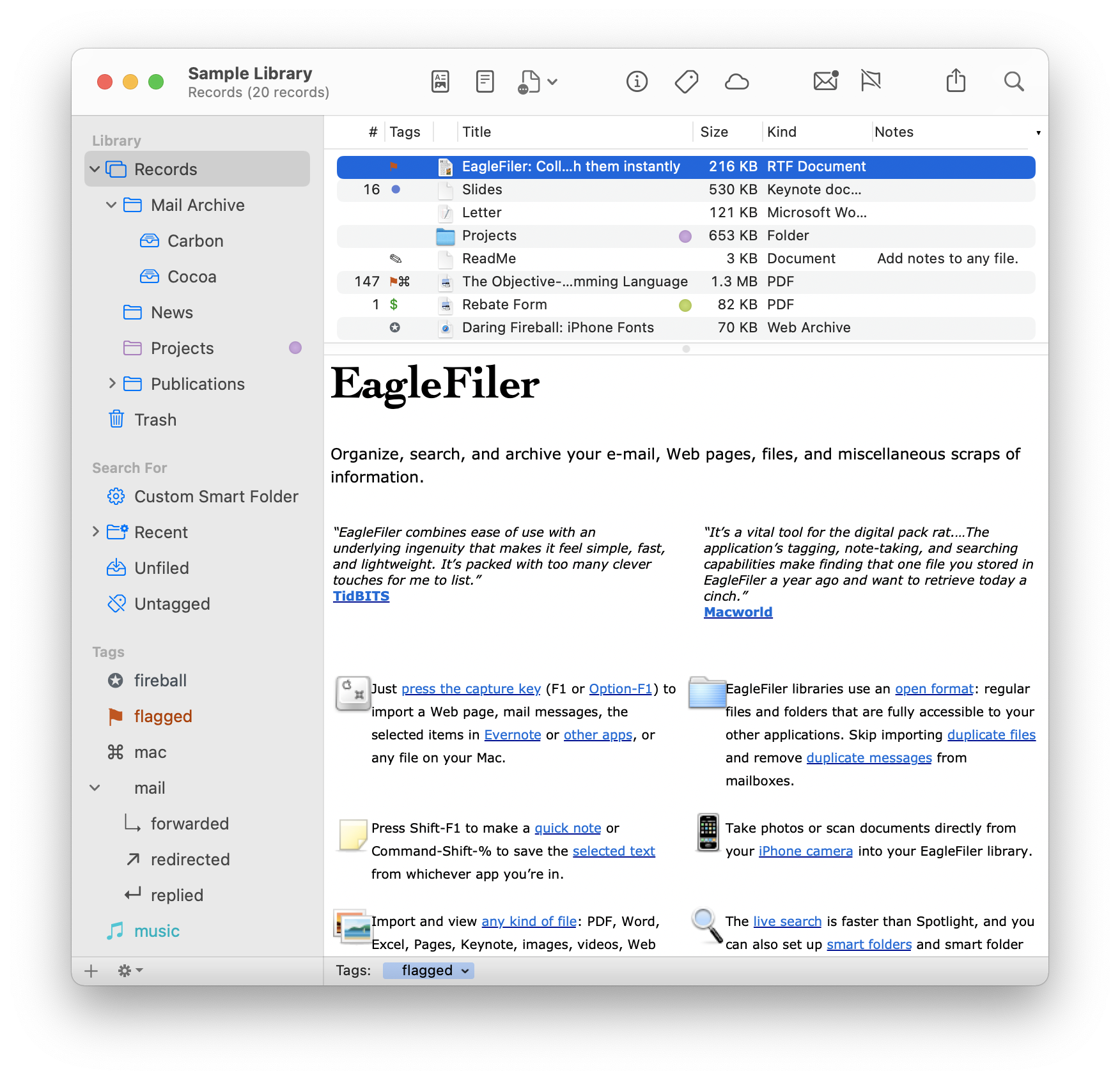
EagleFiler began with an idea Michael had around 1999, several years before its eventual release and long before Mac OS X came out. Michael wanted a better way to archive email. Saving individual messages was already possible, but keeping years of correspondence organized and searchable wasn't easy. He wanted the messages stored in standard formats, rather than locked inside one particular application. Gradually, that idea expanded. The same problem applied to PDFs, saved websites, notes, and other documents.
Eventually in October 2006, C-Command released EagleFiler. Its approach was to provide a familiar filing cabinet for digital information, with folders, tags, notes, and search tools. The functionality answers a common problem: where do you put all the information you want to keep, and how do you find it again?
Suppose you're organizing everything related to buying a house. You've collected emails from the bank, PDF contracts, property details from websites, financial spreadsheets, and notes from conversations.
You could leave all those things scattered across your email application, Downloads folder, and various other places. Or you could collect them in EagleFiler, organize them into a library, and search across the material whenever you need something.
One particularly useful feature is the ability to capture information directly from other applications. Rather than manually saving a document, finding the right folder, and moving it into place, you can use a keyboard shortcut to bring information into your EagleFiler library.
EagleFiler keeps its documents in standard file and folder structures, so users can still access them through Finder or other compatible applications.
Over the years, EagleFiler has expanded its support for different file formats, email applications, searching, organization, and newer macOS technologies. But the original motivation remains recognizable: keeping information should not mean losing the ability to find it or use it later.
More Ways to Make the Mac Useful
C-Command also develops other utilities, which solve different problems but share a common interest in practical improvements to the way people use their Macs.
SpamSieve helps email applications recognize unwanted messages and keep them out of your inbox.
ToothFairy makes it easier to connect wireless headphones and other Bluetooth devices to a Mac, often with a single click or keyboard shortcut.
BBAutoComplete provides word completion while typing in compatible text editors, saving users from repeatedly entering the same long words or names.
An Independent Developer's Perspective
We asked Michael Tsai, the developer behind C-Command Software, what has changed most over his nearly twenty-five years of building Mac applications—and what has remained the same. Here's what he told us:
“The development tools have gotten much better over the years. I started out using Project Builder and Interface Builder, writing Objective-C code with manual memory management. DropDMG even used to include a little Java, which Apple was pushing at the time. PB’s auto-complete didn’t know about the available API symbols. I used CVS for version control and relied on a third-party framework for unit testing. There was not much development information on the web—you could read it all and want for more. We relied on mailing lists, Usenet, paper books, and magazines.
Nowadays, Xcode is a much more advanced IDE. We have Instruments, lots of debugging tools, and Git. I’m mostly writing Swift code, and though I still use Cocoa I'm now building interfaces in code. Deployment is much more involved now, with sandboxing, code signing, provisioning, notarization, TCC, etc.
Another big difference is Apple. It was a much smaller company and almost entirely focused on the Mac. They would beg developers to come to WWDC (now there's a lottery) and had a directory of apps and developer sites (replaced by the App Store). Major OS releases are on a much faster schedule, arrive less polished, and get many more updates.”
Looking back at the early days of Mac OS X, what we remember most fondly isn't necessarily the technology itself, but the possibilities it opened up. Independent developers could take an idea, build something useful, and share it directly with people who needed it. Much has changed since then, but that spirit of curiosity and independence is still very much alive. We're glad that developers like Michael continue to be part of it.
Celebrating Independent Mac Software
As Path Finder celebrates its 25th anniversary, we're pleased to introduce our readers to another independent developer whose applications have accompanied the Mac through almost the entire history of Mac OS X and macOS.
Subscribe to our newsletter to hear more: Black Friday is coming soon, and we'll be sharing anniversary gifts and special offers from some of the developers featured in this series.
We hope you enjoy discovering the applications and the people behind them.