 Cocoatech
The Beginnings: Bringing the Internet to the Mac
Stairways Software was founded in April 1995 by Peter N. Lewis in Perth, Western Australia, six years before Mac OS X appeared. Peter had been developing Macintosh software since the early 1990s, when the Internet was still unfamiliar territory for many computer users. After studying Computer Science and Mathematics at the University of Western Australia, he worked at Curtin University, where he became fascinated by the possibilities of connecting computers over networks.
At the time, many Internet tools were designed for Unix systems and required technical knowledge that ordinary Mac users didn't necessarily have. Peter wanted to bring that functionality to the Macintosh without sacrificing the ease of use for which the platform was known. His early applications included Anarchie, an Internet file-transfer utility that eventually evolved into Interarchy. These tools made it easier for Mac users to connect to remote servers, browse files, and transfer information over the Internet.
Peter was also among the early pioneers of selling software electronically. In 1994, he became the first customer of Kagi, a payment service that would become familiar to an entire generation of independent software developers. By the time Stairways Software was formally established in 1995, Peter was already making a living developing software for the Mac. But the company's best-known application today arrived by an unexpected route: Peter didn't write its original version. He was one of its users!
An Application Too Useful to Lose
In early 2002, another independent developer, Michael Kamprath, released an application named Keyboard Maestro for Mac OS X.
Michael had previously developed an application-switching utility for classic Mac OS. With the arrival of Apple's new operating system, he combined that idea with keyboard shortcuts, clipboard tools, and the ability to automate simple actions. Keyboard Maestro allowed users to make their Macs respond to personalized commands. Instead of navigating menus or repeatedly performing the same sequence of actions, they could assign a keyboard shortcut to do the work.
The application quickly attracted a following, including Peter and the team at Stairways Software.
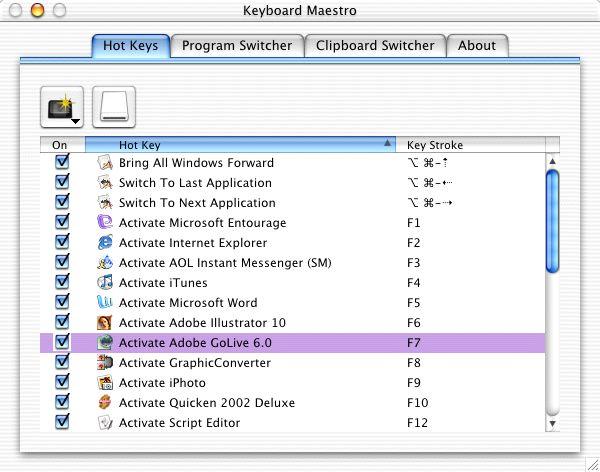
Michael continued developing it, but work on version 2 slowed after several beta releases in 2003. More than a year passed without a finished update.
Around May 2004, Peter contacted Michael to ask what had happened to the new version?
When he discovered that Michael was considering abandoning Keyboard Maestro because he didn't have enough time to continue development, Peter offered to buy it. On June 30, 2004, Stairways Software acquired Keyboard Maestro and almost immediately went on to releasing Keyboard Maestro 2 in September 2004, adding new ways to trigger automated actions, organize macros, and control applications.

Keyboard Maestro: Teaching Your Mac to Do the Repetitive Work
Imagine that every Monday morning you prepare a report. You open several applications, find a particular folder, copy information into a spreadsheet, rename a file, and save the result to another location. None of these steps is particularly difficult. But performing them in exactly the same order every week becomes rather tedious. What if you could teach your Mac to do most of them for you?
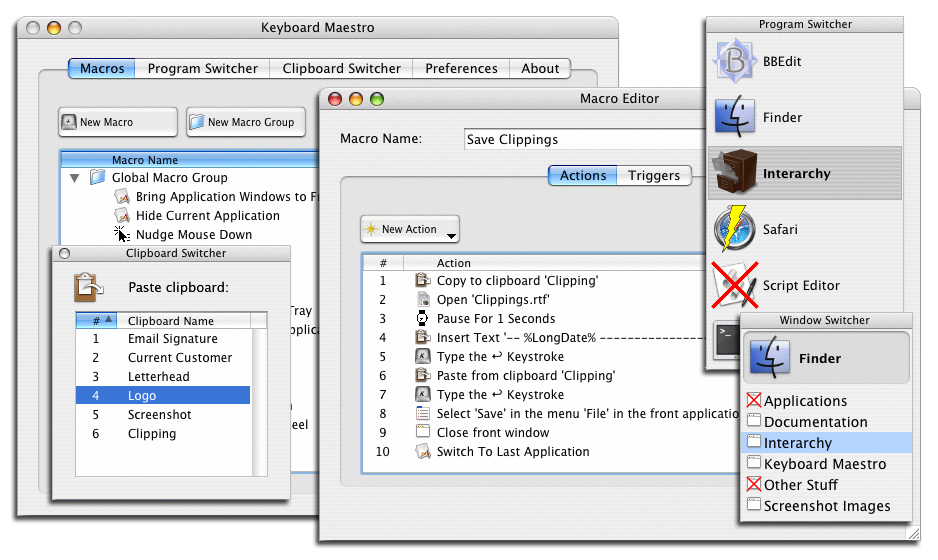
That's the idea behind Keyboard Maestro. The application lets you create small automated workflows called macros. Each macro contains a series of actions that the Mac performs when something triggers it. The trigger might be a keyboard shortcut, a particular time of day, a menu selection, or an application opening.
A simple macro could open your most frequently used work applications and arrange their windows on the screen. Another might take selected text, change its formatting, and paste it into a document. A more elaborate one could collect information from several places, process it, and save the result to a file.
You don't necessarily need to be a programmer to create these workflows. Keyboard Maestro provides an editor where you can select actions and arrange them in the order you want them performed. For technically experienced users, it also offers much more sophisticated possibilities, including variables, conditions, loops, scripts, and interactions with other applications. The beauty of this approach is that users can decide which tasks are worth automating, rather than waiting for an application developer to include a specific feature.
From Keyboard Shortcuts to a Powerful Automation System
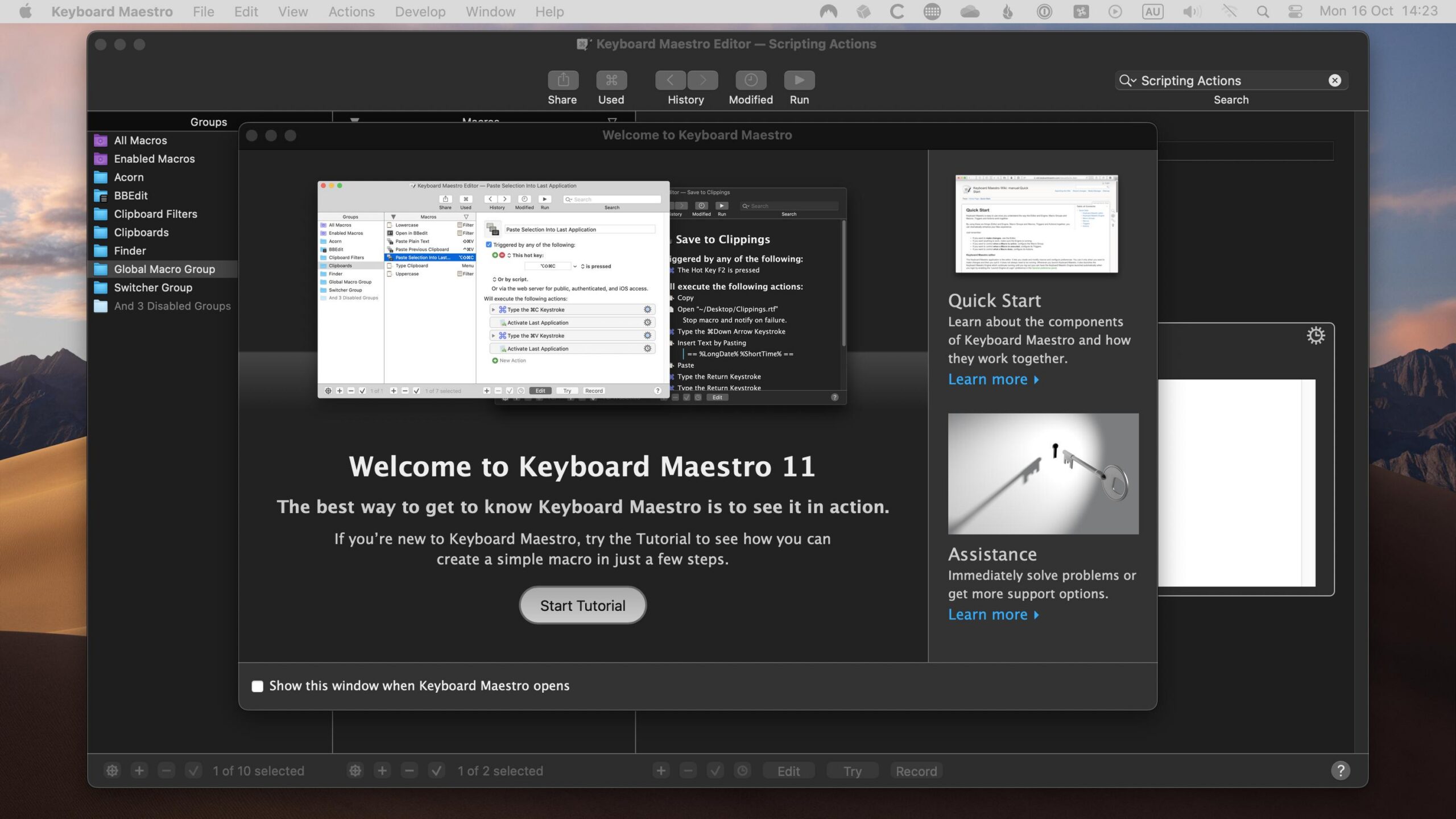
When Stairways acquired Keyboard Maestro in 2004, the application already offered keyboard shortcuts, application switching, and clipboard management. But the possibilities expanded considerably over the following years. Keyboard Maestro 3, released in 2008, brought an improved editor and macro recording, making it easier to create automations by demonstrating actions rather than configuring every step manually. Later versions introduced increasingly sophisticated ways to work with files, windows, applications, websites, and text.
An interesting aspect of Keyboard Maestro is that it doesn't require every application to provide a dedicated automation feature. It can often work through ordinary Mac interface elements, simulating keyboard shortcuts, selecting menu commands, or clicking buttons. That flexibility also creates engineering challenges. When Apple changes macOS security rules or how applications expose their interfaces, automation software needs to adapt. Yet Keyboard Maestro has continued evolving across the transition from PowerPC to Intel and Apple Silicon, along with major changes to macOS itself. What began as a relatively small collection of shortcuts has grown into a powerful environment for customizing how a Mac works.
Making the Mac Your Own
One of the interesting things about Keyboard Maestro is that two people can use the same application in completely different ways. A writer might create shortcuts for inserting frequently used text, organizing research material, or opening a collection of reference documents. A photographer could automate repetitive file operations and prepare folders for new projects.
A software developer might use macros to launch testing tools, switch between working environments, or run a collection of commands.
And someone who simply dislikes repeatedly arranging their windows could create a shortcut that puts everything back where they want it. In each case, the underlying idea is the same: rather than adapting every working habit to the computer, users can adapt parts of the computer to their own habits. That principle probably helps explain why Keyboard Maestro has remained useful for so long.
An Independent Developer's Perspective
We asked Peter N. Lewis, the developer behind Keyboard Maestro, what has changed most over his three decades of building Mac software—and what has remained the same. Here's what he told us:
“Looking back over thirty years, the most obvious change is the Internet which barely existed when I started developing. I remember in high school thinking “I want to do XYZ, but to do that I need some information and there is no way to get that information – even in a Library I would never be able to find the information”. Fifteen years later and I could just search for “Tutorial for XYZ”. Now I could just ask an AI “Do XYZ” – though, of course, I wouldn’t learn anything by doing that which has its own dangers.
One of the things that helped Keyboard Maestro become successful was always doing the support myself. That meant that I’d hear about any rough edge or pain point. And then I could not just answer them but adjust Keyboard Maestro so the problem never happened. Many of the changes in Keyboard Maestro were directly driven by the desire to reduce support email. Similarly, tracking crashes and vigorously resolving them, so that now a user can expect to see a crash in Keyboard Maestro about once every 20 years.
Something that I don't think has changed is that “overnight success takes fifteen years”. To be successful at most anything requires perseverance and iteration. When I took over Keyboard Maestro and released version 2, there were around a thousand customers. It grew at roughly 10% every six months for years and now there are tens of thousands of users, but it took a long time. A long time listening to customers and improving Keyboard Maestro in ways that benefited existing customers while also attracting new customers.”
Peter's story is a reminder that independent Mac applications aren't simply built and released, they're shaped over years of conversations between developers and the people who use them. We're glad Keyboard Maestro is still part of that story.
Celebrating Independent Mac Software
As Path Finder celebrates its 25th anniversary, we're pleased to have introduced our readers to another independent developer who has been building software for the Mac since long before Mac OS X existed.
Keyboard Maestro has a particularly unusual history. Originally created by one developer, it was acquired by another who relied on it too much to let it disappear. More than twenty years later, Stairways Software continues developing it for people who want their Macs to work a little more like they do.
Subscribe to our newsletter to hear more: Black Friday is coming soon, and we'll be sharing anniversary gifts and special offers from some of the developers featured in this series.
We hope you are enjoying discovering the applications and the people behind them.